> ## Documentation Index
> Fetch the complete documentation index at: https://phidatainc.mintlify.site/llms.txt
> Use this file to discover all available pages before exploring further.
# Welcome to Agno
> Build, run, and manage agent platforms.
Agno helps teams build and run their own agent platforms. Use the SDK to build agents, teams, and workflows, AgentOS to run them in production, and the Control Plane to monitor and manage them.
| Product | Description |
| ----------------- | --------------------------------------------------------------------------------------------- |
| **SDK** | Build agents, teams, and workflows with memory, knowledge, guardrails, and 100+ integrations. |
| **AgentOS** | Run your agent platform in production with a stateless, secure FastAPI backend. |
| **Control Plane** | Monitor and manage your system using the AgentOS UI. |
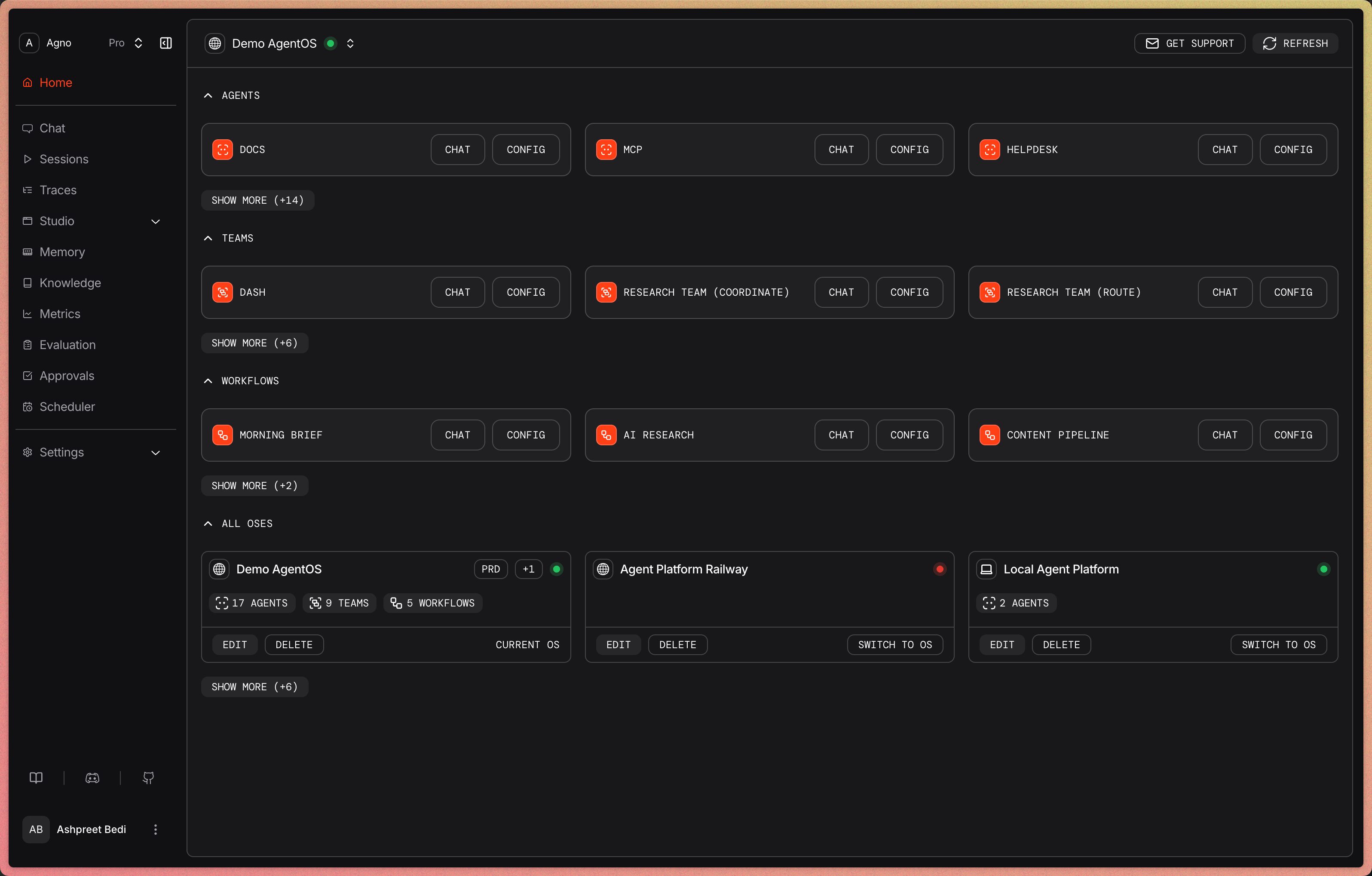 AgentOS runs your agent platform as a FastAPI application in your cloud. The fastest way to get started is to give your coding agent this prompt (select your cloud provider).
Get started
* [Build your first agent](/first-agent) with the Agno SDK.
* [Build your agent platform](/agent-platform/overview) using a coding agent.